









Gene HewHey, I'm Gene

Available for select projects

I build the tools
you wish existed.

Apps, websites, and AI tools that make work easier. Built around you, with a little personality.

Based on Maui. Building for people everywhere.

scroll ↓
40+projects across code & design
20+AI systems shipped
20+live client sites

What I can build for you.

Try it here Ask about my work Not sure which one fits? Ask. It answers from my real projects and points you to them.

    Things I’ve built.

    Five apps, five kinds of AI help, and nine small tools. Everything here is real work.

    Apps 5

    Pick an app to see its screens.

    Winbase Sales preparation app

    Be ready for the call.

    Get company research, talking points, and sales materials in one place.
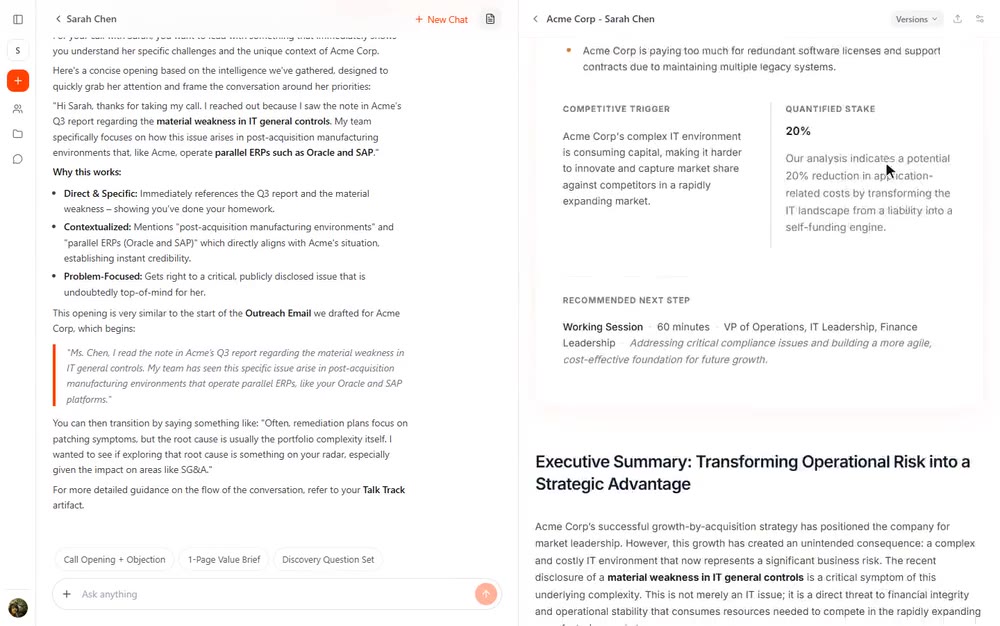
    Winbase, signed in: the Acme Corp sample prospect report opening on its overview and executive summary, with a chart of the expected savings
    The research

    Know the company.

    See what the company does and where your product could help.
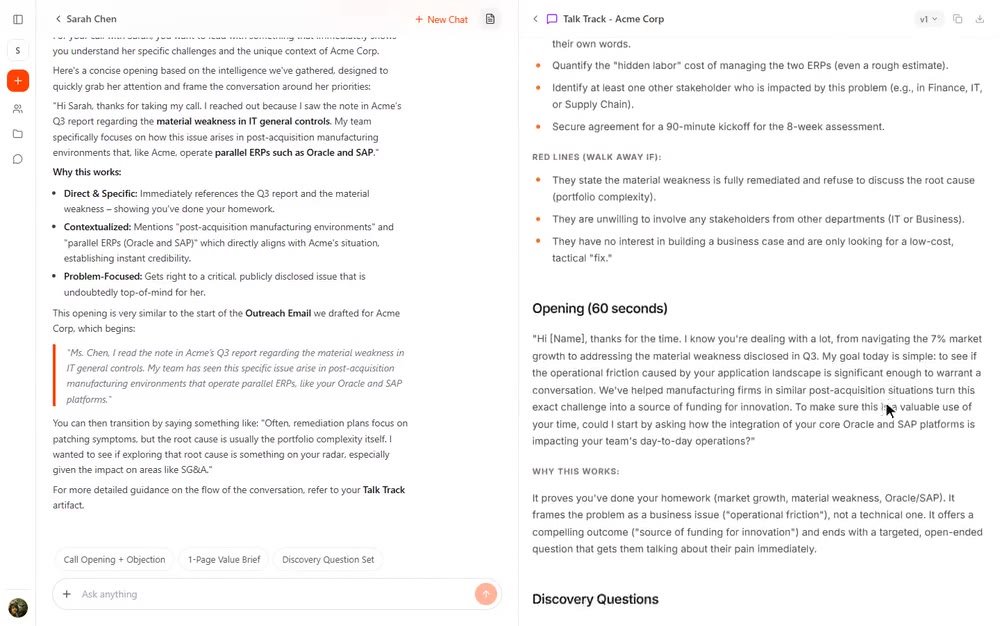
    Winbase talk track for the sample prospect: pre-meeting preparation, a 60-second opening, and discovery questions
    The conversation

    Know what to say.

    Get an opening line, talking points, and answers to likely questions.
    Sarah’s Practice Plan Music practice app

    Practice music on your phone.

    Guided lessons, play-along sounds, and music exercises in one app.

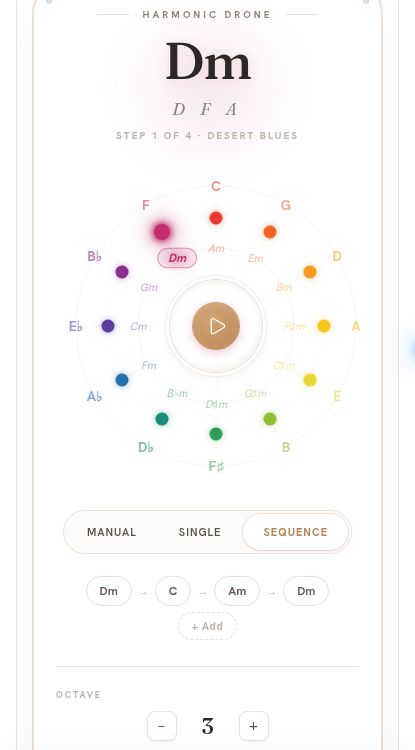
    Sarah’s mobile Harmonic Drone with its colored chord wheel and Desert Blues progression: D minor, C, A minor, D minor
    01 / Backing music

    Play along with chords.

    Choose a sound and a few chords. Sing or play along.

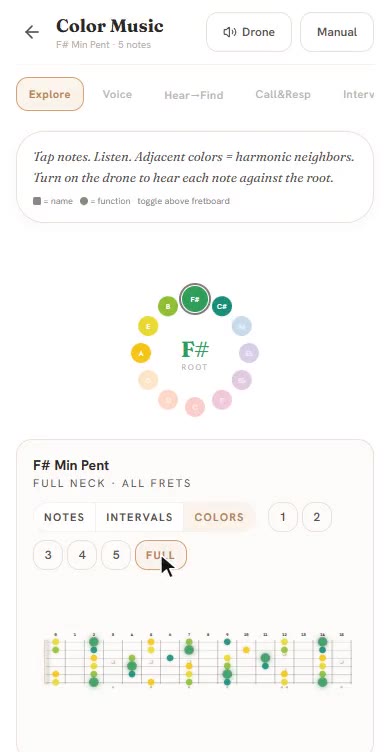
    Color Music on mobile: tapping keys on the color wheel re-maps the colored fretboard, then lights up the full neck
    02 / Color-coded notes

    See which notes to play.

    Follow the colors. Tap a note to hear it.

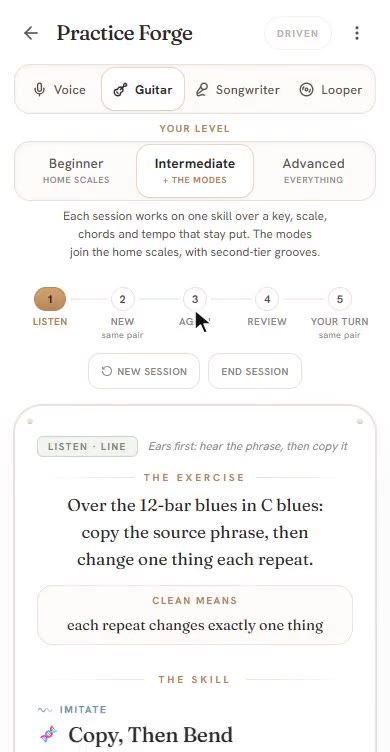
    Practice Forge on mobile: choosing guitar and a level, then a live five-card session with its exercise card
    03 / Practice challenges

    Try a new challenge.

    Listen to a short melody, then try playing it back.

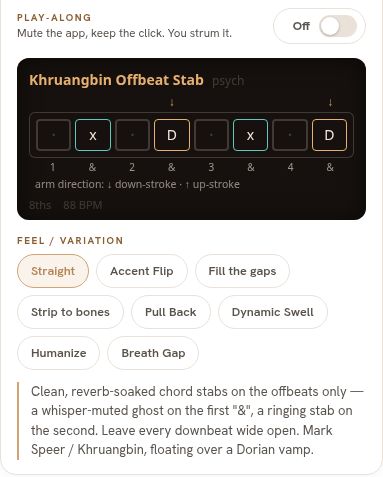
    Groove Lab’s mobile rhythm grid, showing a Khruangbin offbeat pattern and rhythm variations
    04 / Rhythm practice

    Build your rhythm.

    Practice a beat, then add your voice or guitar.

    Voice Brain A library for your recordings

    Your recordings, organized.

    Organize recordings by topic and project. Find them fast, read a summary, or ask a question.

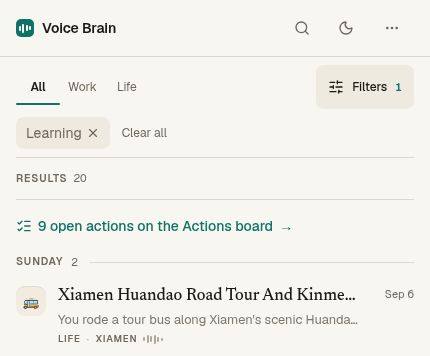
    Voice Brain’s real mobile Library view with Work and Life tabs, the Learning category selected, and a dated tour recording with a short summary
    01 / Library

    Find the right recording.

    Browse by topic or project. Skim a summary before you press play.

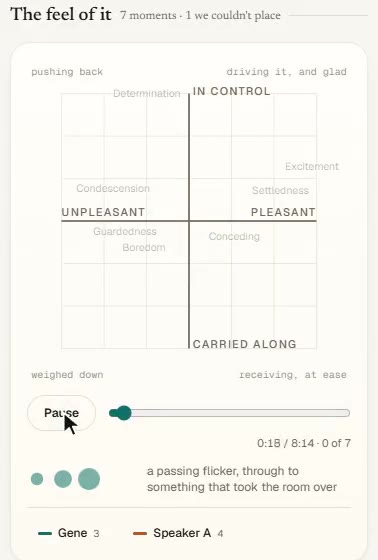
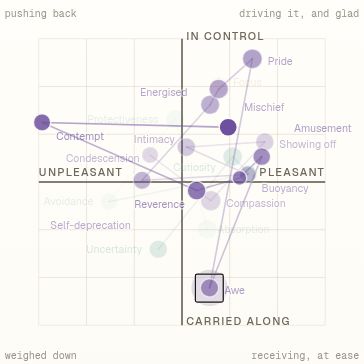
    Emotion map on mobile replaying how a conversation felt, moment by moment, for two anonymous speakers
    02 / Emotion map

    Spot changes in tone.

    See where a speaker’s tone shifts, then listen to that moment.

    At 15:01, the app suggests awe. Listen back and judge for yourself.

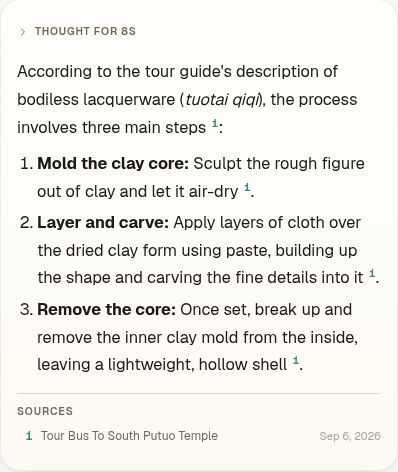
    Voice Brain’s real answer about hollow lacquer statues: mold the clay core, layer the form, and remove the core, with a source citation
    03 / Ask a question

    “How is a hollow statue made?”

    A long explanation becomes three steps, linked to the recording.

    Real mobile app screens. Emotion labels are AI interpretations.
    Dharma ExplorerBuddhist study app

    Explore Buddhist teachings.

    Ask questions across 55 Buddhist writings, with clear answers and sources.

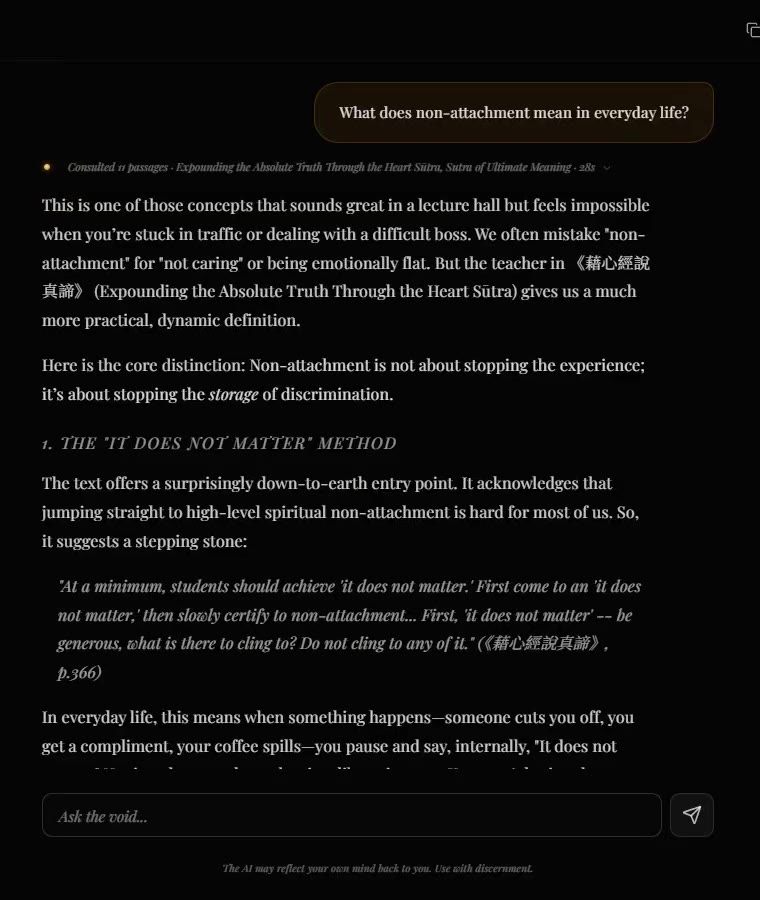
    Dharma Explorer: a question about non-attachment typed in, then the answer with its source citation and suggested follow-ups
    A real conversation

    “What does non-attachment mean in everyday life?”

    A clear answer, an everyday example, and the source to read next.

    InVisionCourse library app

    See how the ideas connect.

    Explore a course’s ideas across every class, see how each one develops, and read the lessons in context.

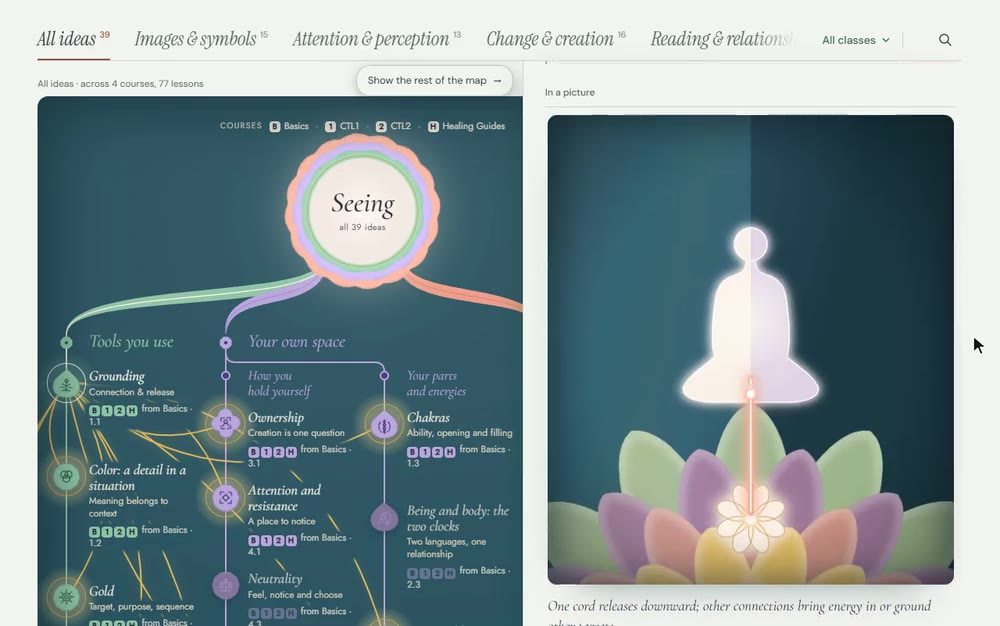
    InVision: picking Grounding on the ideas map lights up its connections, then the panel reads down to an animated picture of the idea
    The ideas map

    Pick an idea, see what it touches.

    Its links light up across the course, then a plain-language summary and a moving picture explain it.

    AI helpers 5

    Five kinds of work AI can take off your plate. Pick one to see how it works.

    01

    Find the answer. Skip the digging.

    Ask a question about your documents or emails. Get a clear answer, with a link to where it came from.

    How it works

    Your documentsFind the answerShow the source
    From Dharma Explorer

    Ask a question.
    See the page it came from.

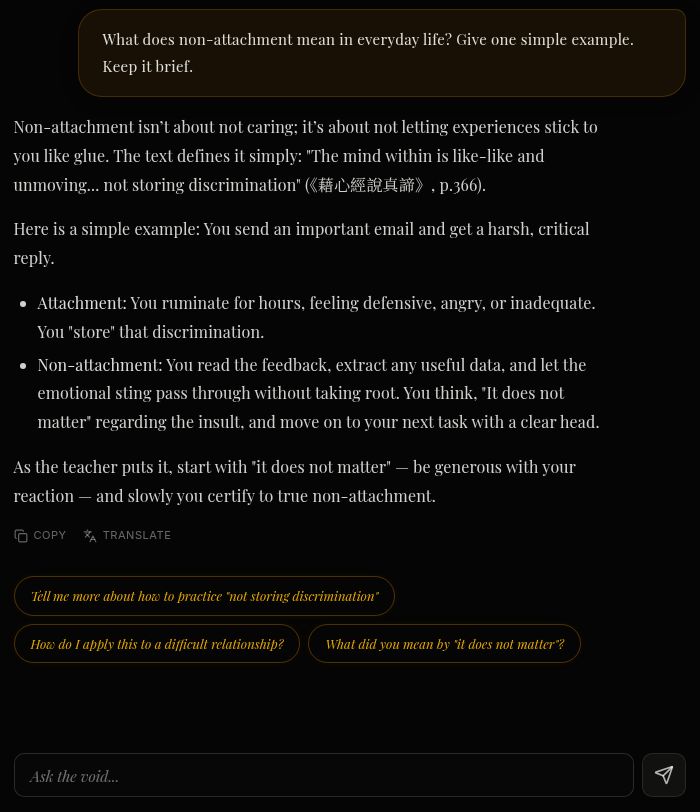
    Dharma Explorer answering a question about non-attachment, quoting its source text with the page number

    Every answer points back to its source. More on Dharma Explorer

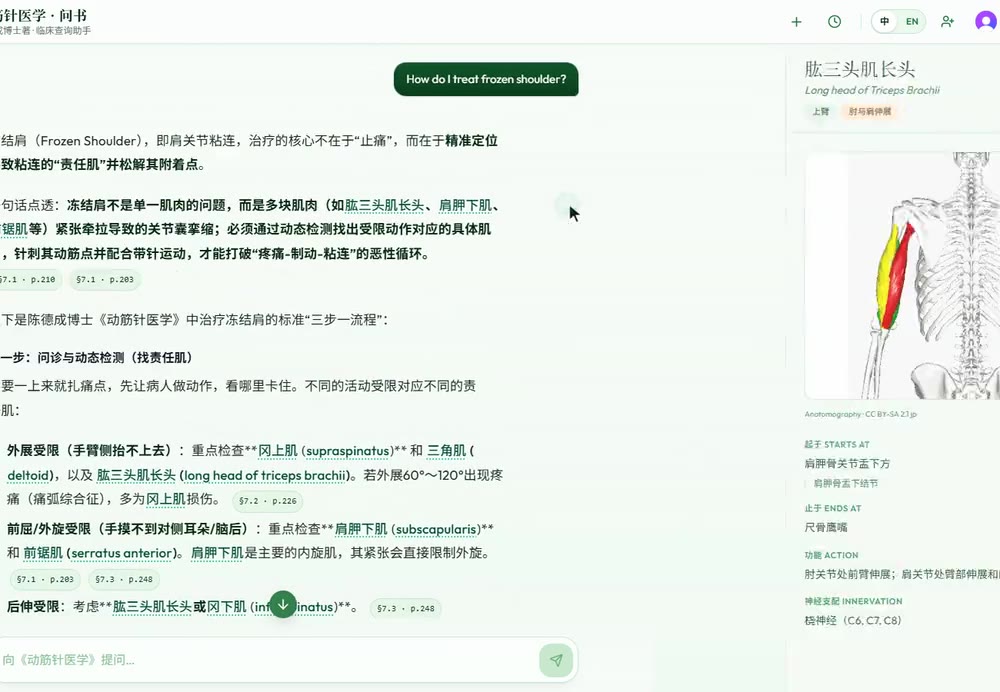
    • Motion Acupuncture

      Answers questions from an acupuncture textbook, in two languages, and shows the source.

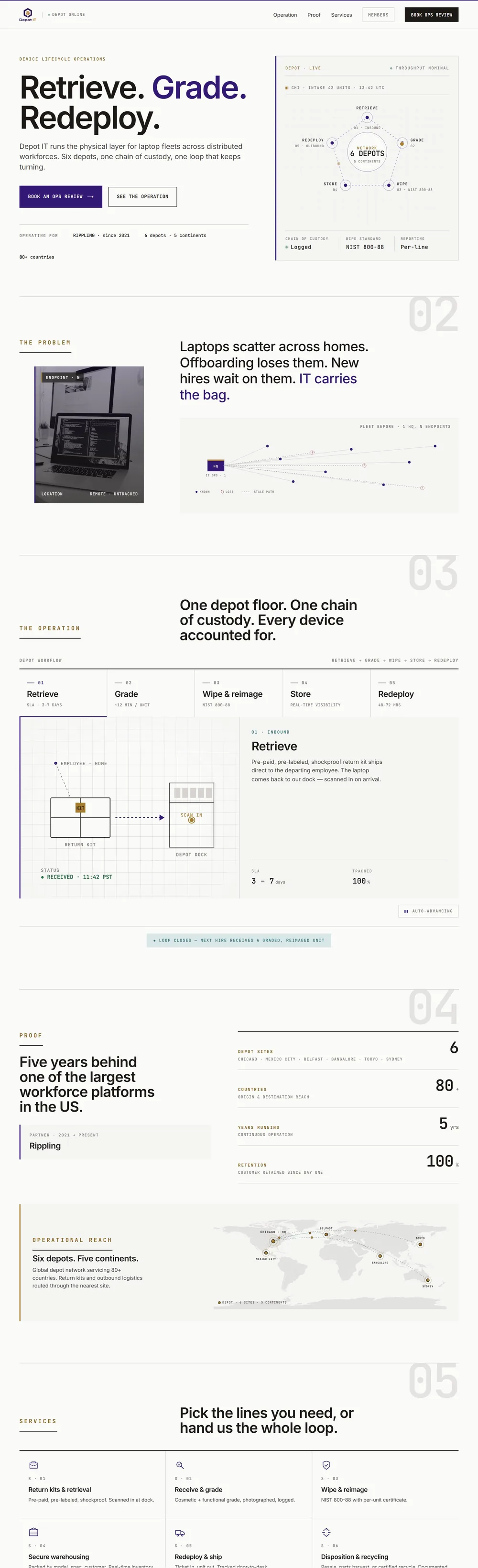
    • Depot-IT support bot

      Warehouse staff get answers from their process guides, with the right page attached.

    02

    Know which messages need you.

    Sort incoming replies and comments, spot the ones that matter, and keep track of who needs a response.

    How it works

    New messagesSort & checkReady to respond
    From the sales outreach dashboard

    A reply comes in.
    Your list updates itself.

    1. You send a message

      The contact is marked Sent

    2. They reply

      The contact changes to Replied

    Replies are counted automatically. No spreadsheet updates needed.

    • Sales replies

      Softura’s sales replies are sorted by what the person actually said.

    • Social comments

      Social comments become organized replies, checked before posting.

    03

    Turn an idea into finished work.

    Start with a brief, an email, or a recording. Get posts, videos, proposals, or a practice plan, each made to fit your needs.

    How it works

    Your ideaCreate & checkFinished work
    04

    Hand off the repetitive steps.

    Let the research, drafting, and follow-ups happen in order. You choose where the work pauses for your approval.

    How it works

    A new taskSteps & approvalJob done
    From a recorded sales workflow

    From a company name
    to a thoughtful first hello.

    The companyA 40-person creative agency

    Hiring for three roles. Launching a new brand.

    1. Do the homework

      Read their website, LinkedIn, and recent posts.

    2. Find a useful angle

      Could better follow-ups save this growing team time?

    3. Write the message

      A personal introduction, ready for you to review.

    You approve the message before it sends.

    • Video clips

      Drop in a long video. Get short clips queued for your approval.

    • Voice notes →
    05

    Make your apps work together.

    Find an email, check your calendar, and book a meeting from one conversation. Your existing tools, with less back-and-forth.

    How it works

    Your appsOne requestWork done
    Built for BioMatrix · Outlook & calendar

    Book the meeting.
    Keep the final say.

    1. 1
      Check the details

      The assistant checks for conflicts and prepares the invite.

    2. 2
      You give the OK

      Review the time and guests. Nothing is booked yet.

      Waiting for your approval
    3. 3
      The invite goes out

      Only after you confirm.

    • Ableton Live

      An assistant that can set up tracks and control playback in my music studio.

    • Visual moodboards

      Turn a board of saved inspiration into one sheet of images.

    Small tools 9

    Research, outreach, documents, dashboards, and a surf forecast. Use the arrows to browse.

    Swipe to explore
    HermesA market-watching agent with position limits and checks before it acts. Internal tool

    Position limits, sanity checks, and a kill switch constrain execution. They do not eliminate trading risk.

    Proposal BuilderTurn client requirements into a clear, priced project proposal. Internal tool

    Scope, pricing, and deliverables stay together in a document ready for review.

    Outreach AssistantResearch the prospect. Find the reason to reach out. Prepare the message. Internal tool

    Prepare outreach across email and LinkedIn, with approval before sending.

    Content StudioTurn one brief into a researched carousel, caption, and PDF. Client tool

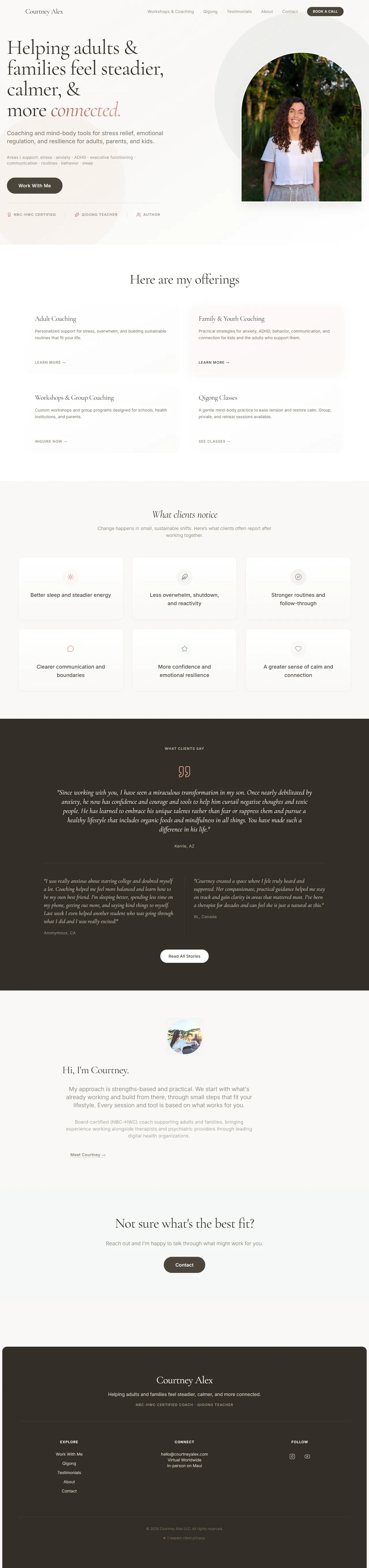
    Used for Softura and Courtney Alex, from the first brief through scheduling.

    Motion AcupunctureAsk an acupuncture textbook questions in two languages, with citations back to the text. ask-book.vercel.app↗
    Searchable DocumentsTurn difficult PDFs into documents you can search and ask questions about. Internal tool

    Clean up scans, tables, and headings so answers can point back to the right page.

    Depot-ITAn asset-management platform with a portal for customers. depot-it.com↗ ProjectOptionA visual system that makes financial content clearer and more consistent. projectoption.com↗
    Maui Surf ForecastSwell, wind, and tide translated into a forecast for individual Maui breaks. Built for Maui

    Local knowledge helps turn broad weather data into a useful read on each break.

    Client sites

    A website should feel like you.

    Sites for musicians, makers, and businesses. Find one you like and open it to explore.

    Make the idea land.

    Pitch decks, books, brochures, and posters. I shape the story and the visual details together, so the message carries. Pick a piece to see it up close.

    Self-initiated

    A little room to get weird.

    Self-directed studies in color, type, texture, and atmosphere. A place to follow an idea further than a client brief might take it.

    It started with a spreadsheet.

    If the same work keeps landing on someone’s desk, I start wondering how to make it happen once.
    The habit behind the work

    Before Maui, I worked in finance and legal operations in Chicago. I built tools that connected Outlook, Word, and Excel, including a system that saved a legal team months of repetitive work. I still look for the same thing: a simpler way to get the job done.

    F6fx=SUMPRODUCT(roles,bill_rate)/team_capacity
    ABCDEF
    3EngagementStageUtilW1W2W3
    4Centerline migration30.92384129
    5Relativity rollout20.74221526
    6Center-of-excellence model10.88362839
    7Seats reclaimed+12
    UtilizationStaffingProjectionsRollup

    A simplified view of a model that connected dozens of working tabs.

    Pricing, planning, and the numbers behind the work.

    Recreated examples with representative data. Original work below, with sensitive details removed.

    Swipe to explore
    Large-scale data ops
    F844fx=IFERROR(VLOOKUP(A844&C844, coverage!$A:$H, 6, FALSE), "gap")
    ABCDEF
    1CityCountryTierTargetVendorSLA
    844Metro 014US14hVN-214
    845Metro 027DE28hVN-088
    846Metro 052BR3NBD-gap
    847Metro 061JP14hVN-334
    Coverage MatrixCountry InputCount

    9,400+ rows of city and service coverage, connected by roughly 100,000 formulas.

    Multi-tab pricing model
    E13fx=SUMPRODUCT(B4:B11, C4:C11, D4:D11)
    ABCDE
    3Service lineHrsRateReg×Ext
    4Smart hands120951.1513,110
    5Warehousing-2,4001.002,400
    6Build & decom641101.158,096
    13Quote total23,606
    AnalysisRatecardSupplyWhseSmartRemote+4

    One rate card and regional pricing rules keep 10 linked tabs consistent.

    Automated reconciliation
    E4fx=IFERROR(INDEX(rev!D:D, MATCH(A4, rev!A:A, 0)) - C4, 0)
    ABCDE
    3Line IDItemOrigRevisedΔ
    4L-1001Item A1,2501,2500
    5L-1002Item B8801,040+160
    6L-1003Item C2,3000-2,300
    7Net change-2,140
    CompareOrder Detail

    Compare two versions of an order and see exactly where the numbers changed.

    Rolling financial forecast
    E4fx=IF(EOMONTH($A$1,E$2)<=TODAY(), actual, prior*(1+g))
    ABCDEFG
    3$000sJanFebMarAprMayJun
    4Revenue182204221238251264
    5Margin47%49%49%50%50%51%
    6Trend
    ForecastActualsDriversSummary

    Actual results flow into the forecast as each month closes. Future months stay visually distinct.

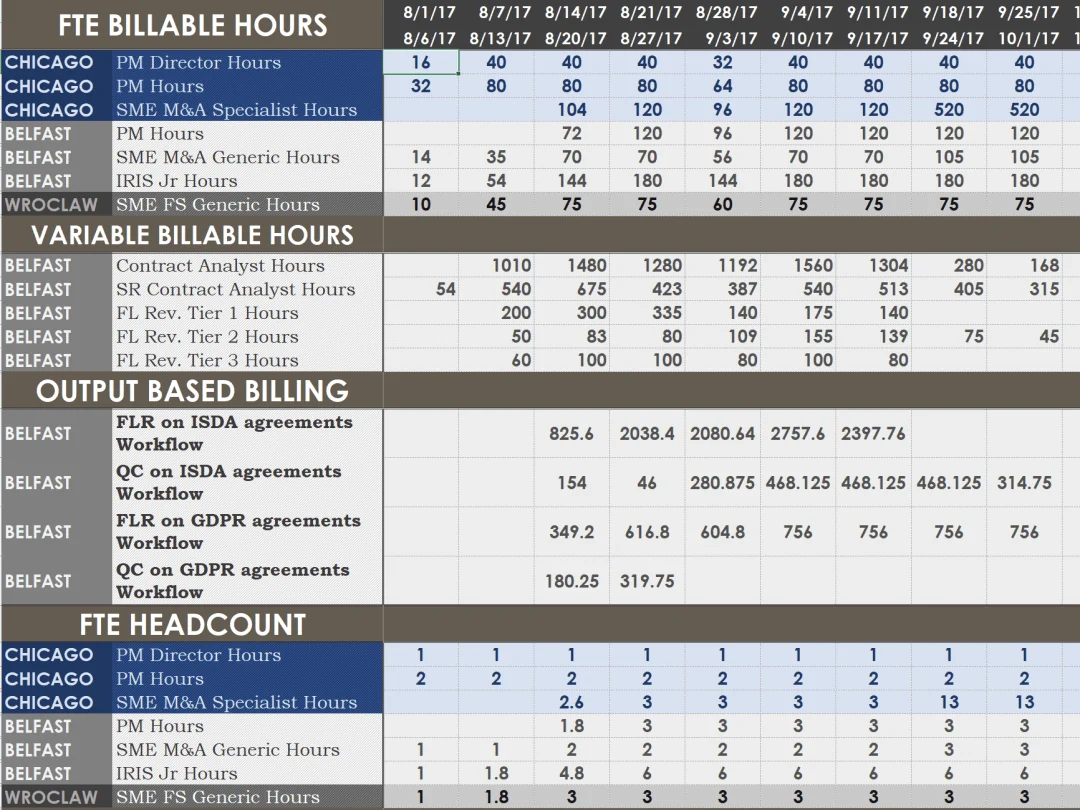
    A look at the actual work

    drag / scroll →
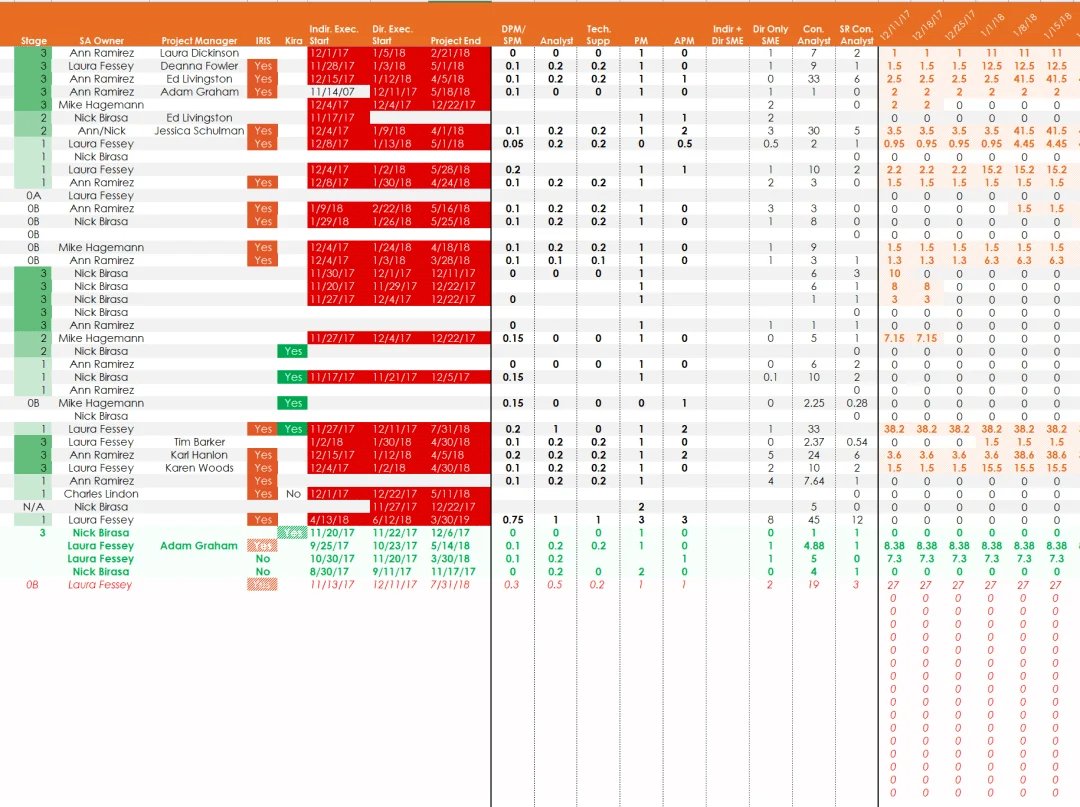
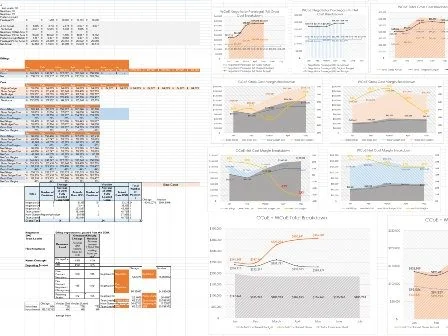
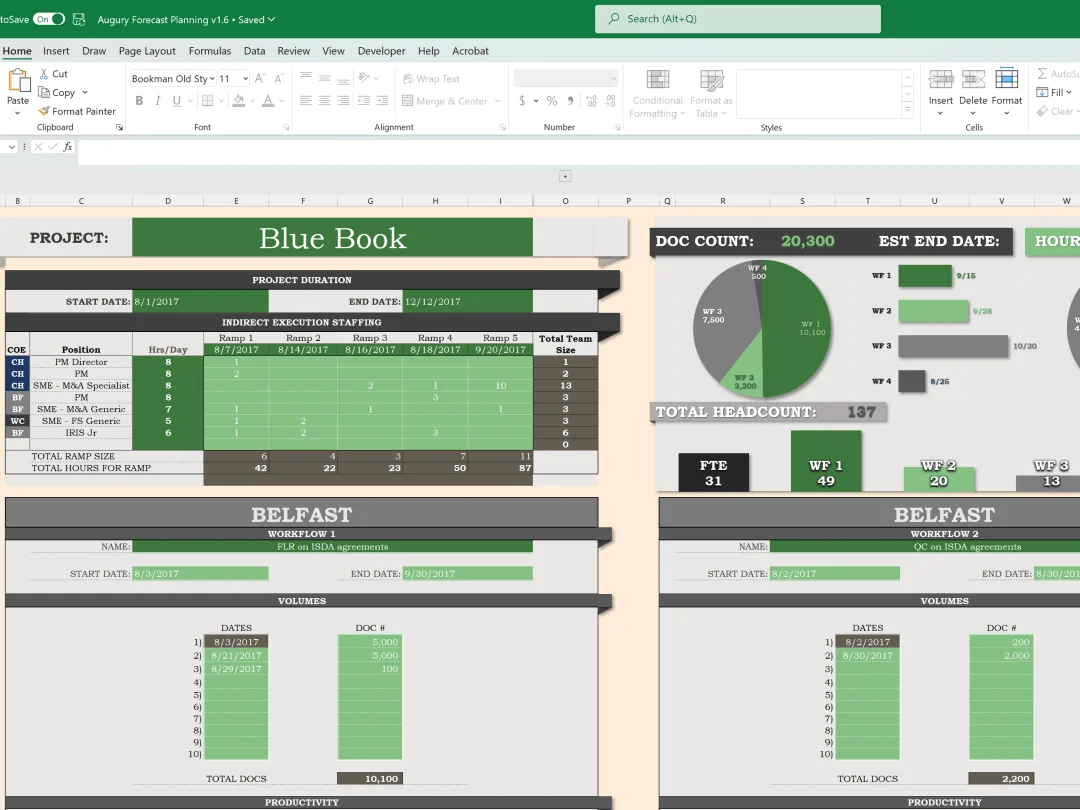
    Dynamic utilization tracker
    Dynamic utilization tracker: ramp-on dates, team sizes & roles
    PM and APM utilization tracker
    PM / APM utilization: auto-updates as weeks go by
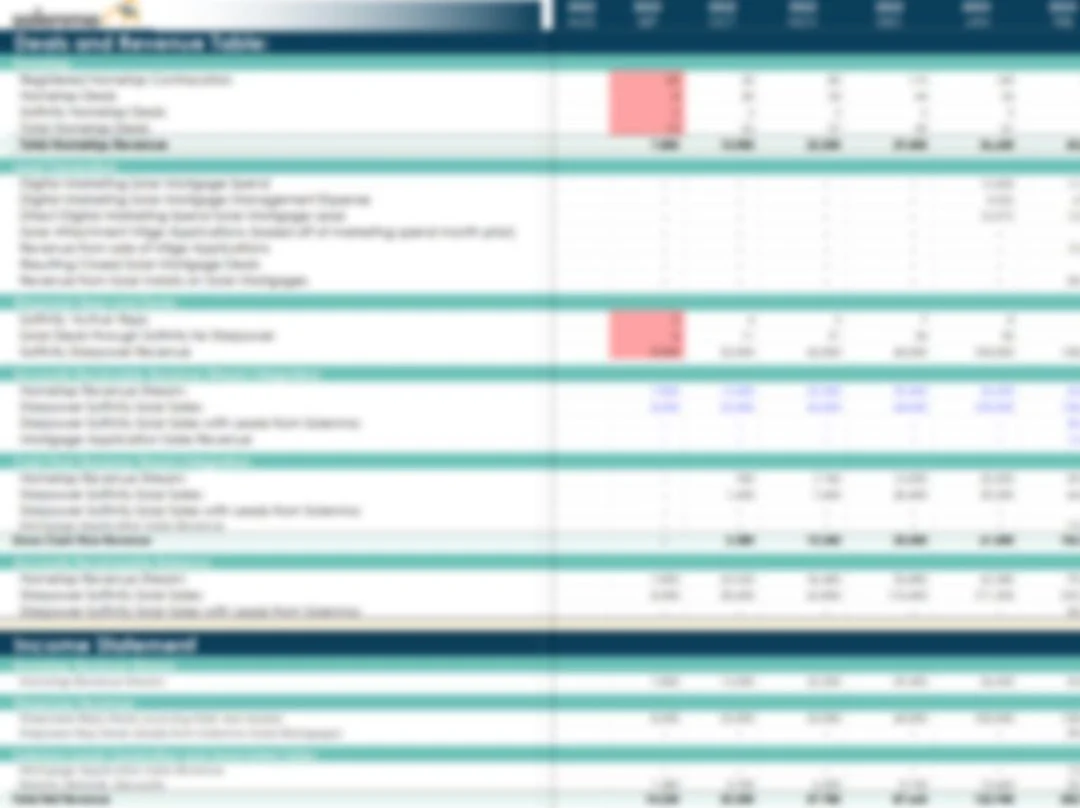
    Financial projections
    Income statement, cashflow & balance sheet projections
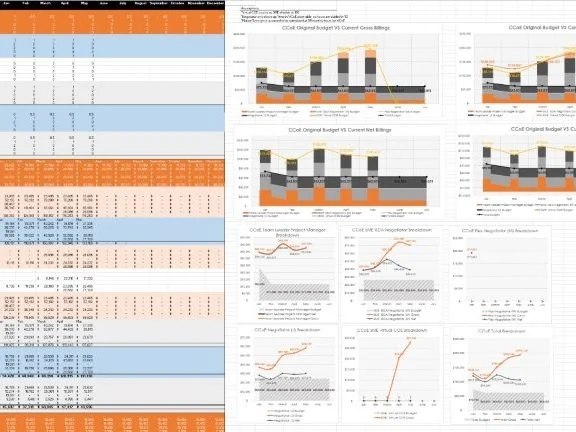
    Center of excellence analysis
    Center-of-excellence margin analysis: budget vs actuals
    Team position calculator
    Team position calculator: revenue vs budget, used for staffing
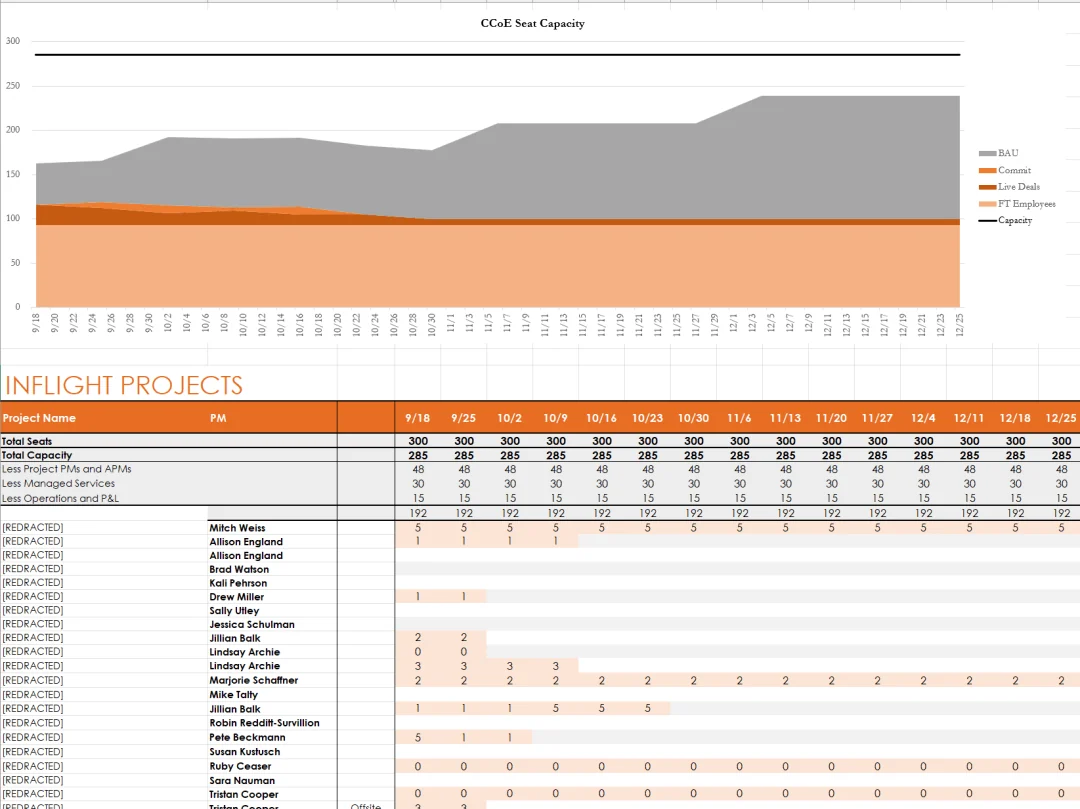
    Seat utilization tracker
    Seat utilization tracker: linked to multiple data sources
    Project pipeline
    Project pipeline: seat requirements calculated automatically
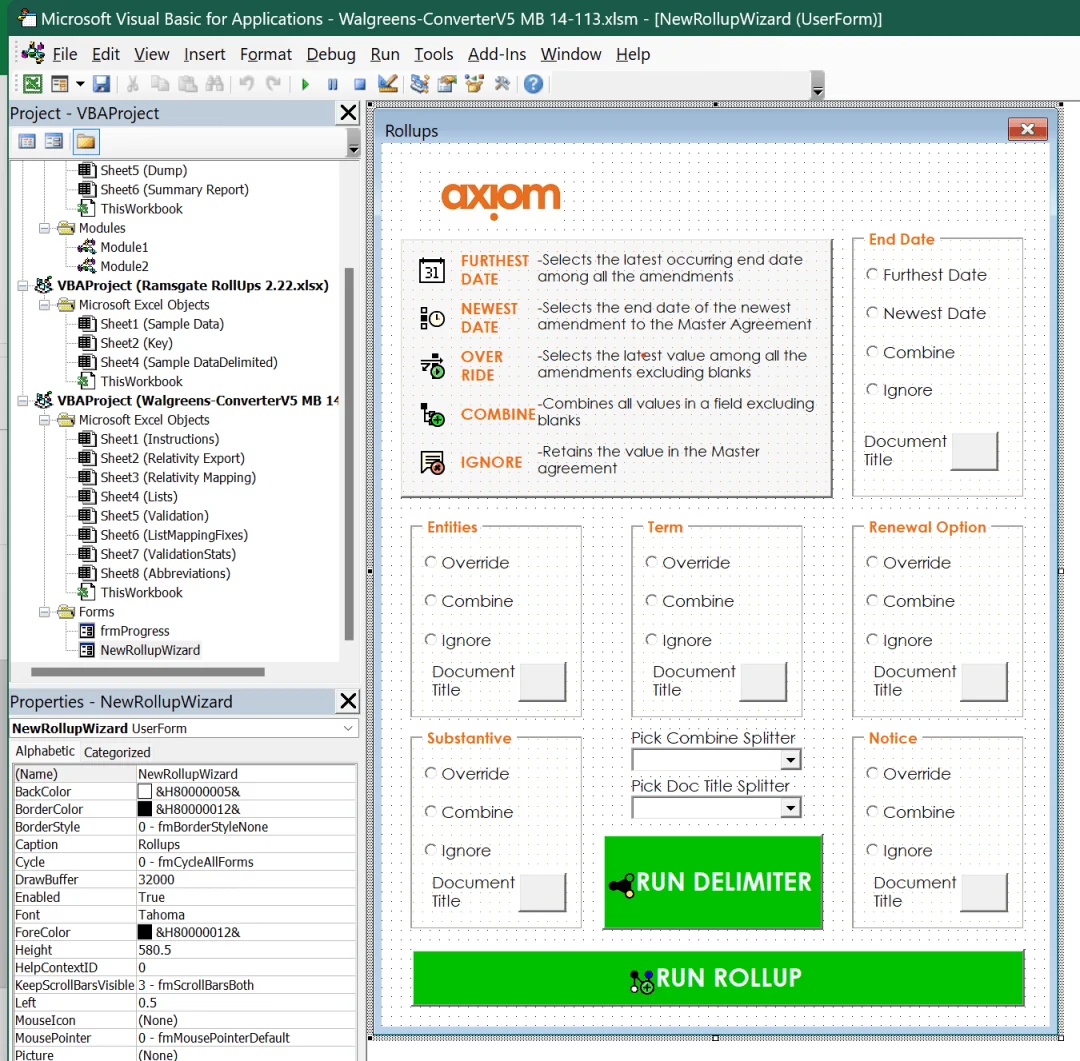
    VBA rollup macro user form
    Axiom legal rollup macro, the months-saver
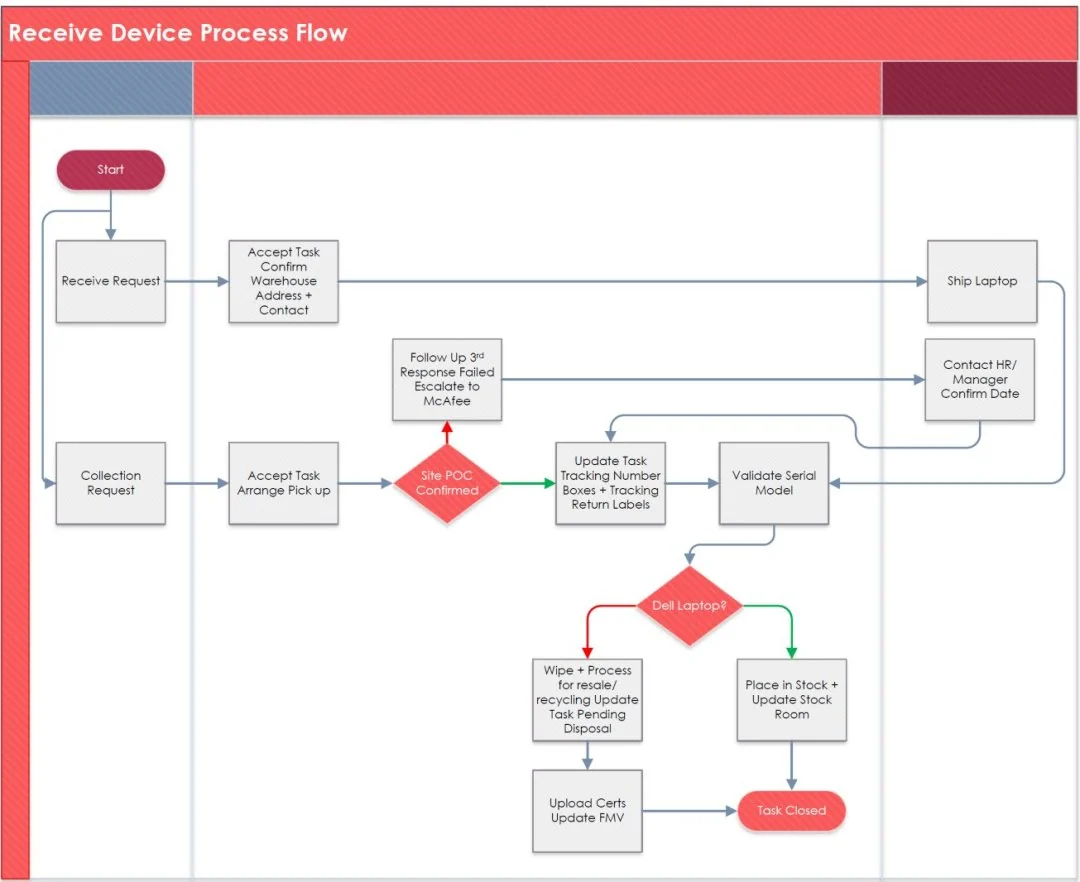
    Client escalation flow chart
    Client escalations: example flow chart
    Inside the van at night: the bed, plant walls, and warm light strips

    Then I built a home
    with wheels.

    I left corporate life in Chicago and turned an empty van into a home. It was a fairly thorough way to learn what “end to end” means.
    Power, water, insulation, storage, and somewhere to put the guitar. Every decision affected the next. I still build that way: understand the whole thing, care about the details, and make it useful in real life.

    700 Ah batteriesThree weeks off-grid with zero sunlight
    25 gal waterPropane-heated shower, sink, cutting board
    Arctic insulationThermal-grade walls + Webasto heater
    4G boostedWork calls from the woods
    Full stealthLights on, jam session invisible
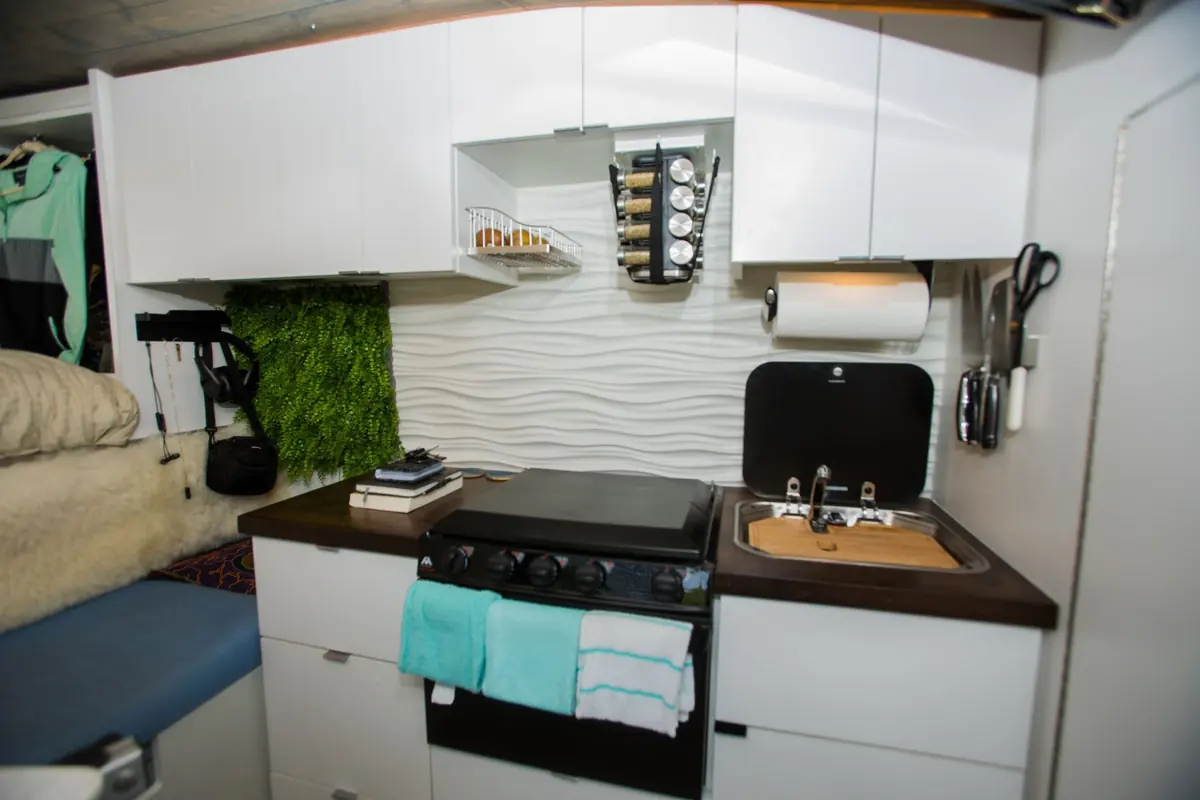
    Compost toiletVented, plus 3-burner stove/oven
    Inside of vanInside of van
    Sleeping areaZzz area
    The vanWhat a beaut
    Closet and mirrorStylin
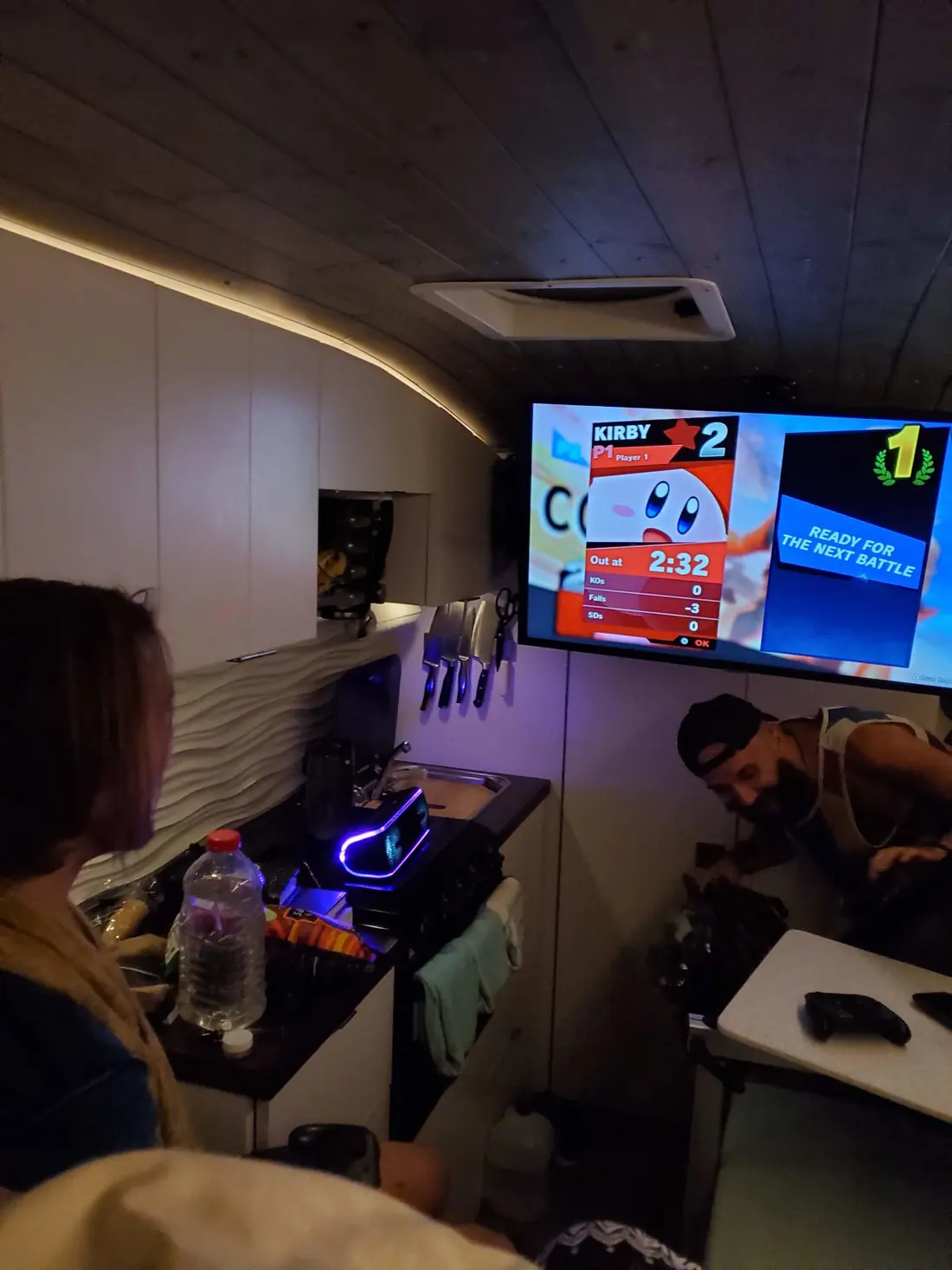
    Friends playing Smash Bros on the TV inside the vanSmash bros
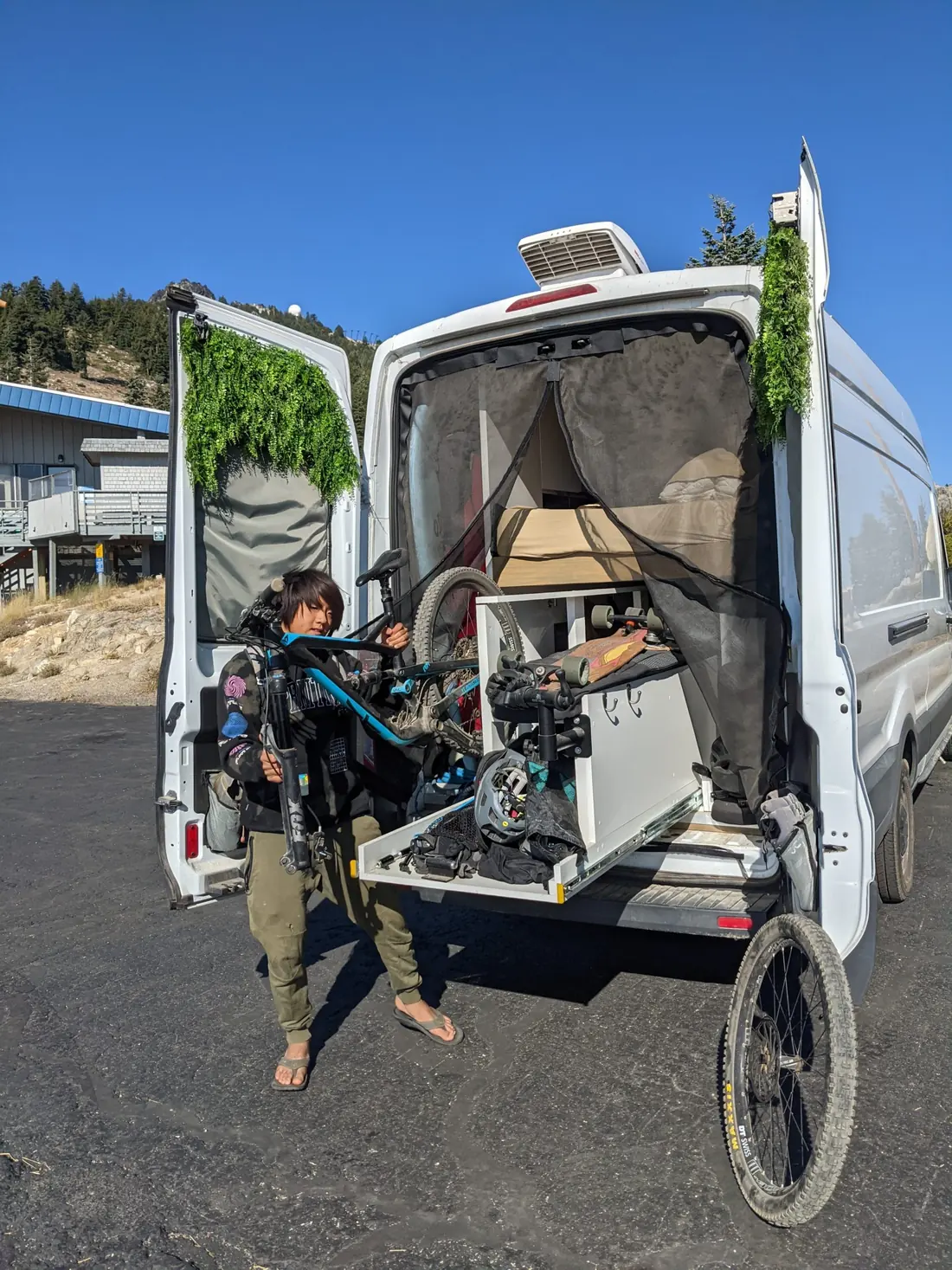
    Loading a mountain bike into the garage under the bedShred time
    VibesVibes
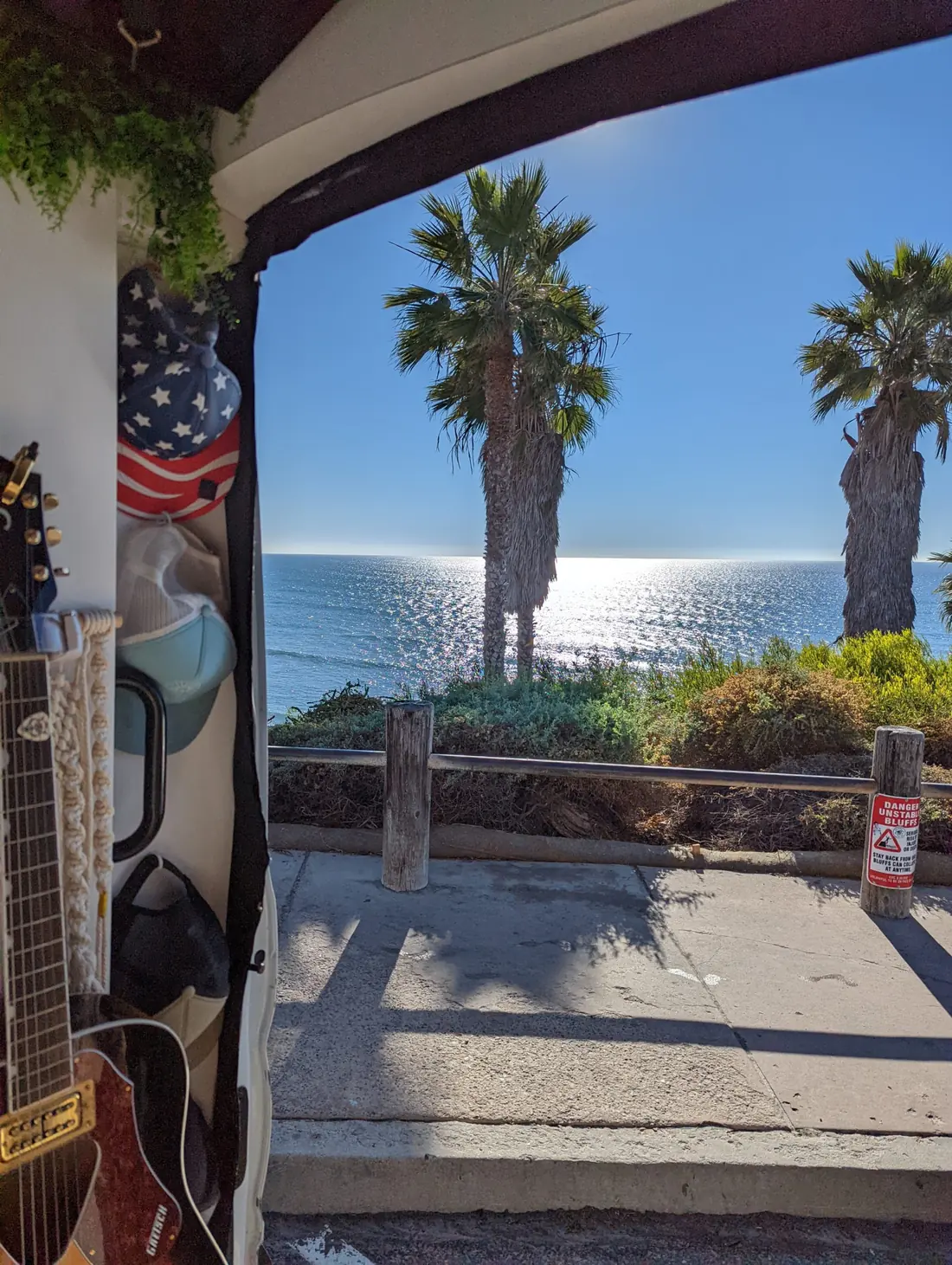
    Ocean view from the vanSwamis!!!!

    Start with the problem.
    Build what helps.

    Every problem has a shape. Scroll to see how we find a way through it, from the first call to the day it runs on its own.

    1. 01

      Show me the problem

      Walk me through a normal week. We map what stands in the way, and how far around the work has to go.

    2. 02

      Find the gaps

      From above, the way through shows. We mark where AI can carry the work straight through, and where you should make the call.

    3. 03

      Try the first version

      I build the first route. You use it on real days, and we find where it still snags.

    4. 04

      Refine it together

      Your notes clear the snags. The work runs straight through and stops only where you want a say.

    5. 05

      Put it to work

      The busywork runs on its own. What’s left is the part that needs you.

    Gene Hew
    Book a call

    What do you wish
    worked better?

    Bring the messy workflow, the half-formed idea, or the website you’ve outgrown. We’ll spend 15 minutes figuring out whether I’m the right person to help. No polished brief needed.

    Prefer email? hewg74@gmail.com ↗

    Or send a note here

    What would help? (optional)
    * required